Poedit
Fast and easy translation
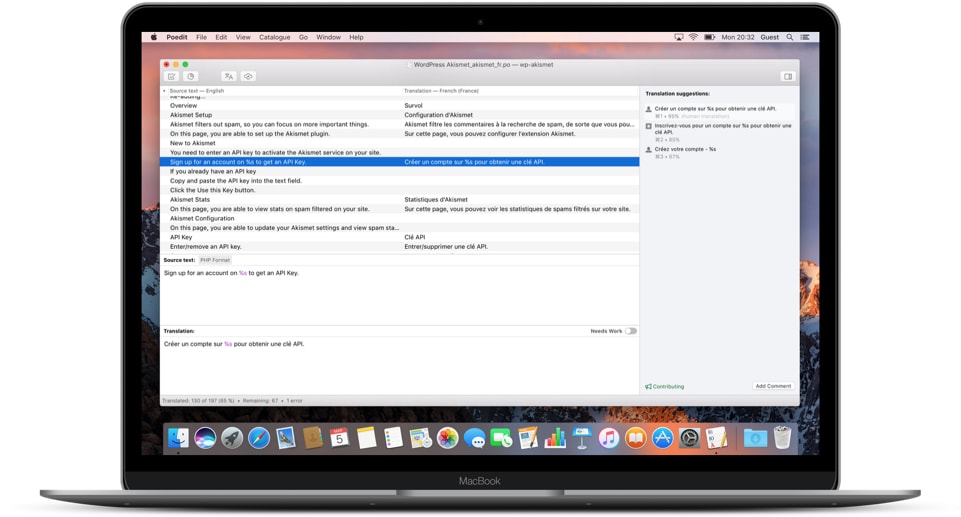
Poedit provides translators and developers with a powerful and intuitive editor for many file formats:
gettext/PO, XLIFF, JSON, Qt or Flutter.
It helps save time on mundane translation tasks with a lightweight and easy-to-use interface and smart features like pre-translation and machine translation.
Focus on what you do best
Stop worrying. Poedit will validate your translation files and track your progress.
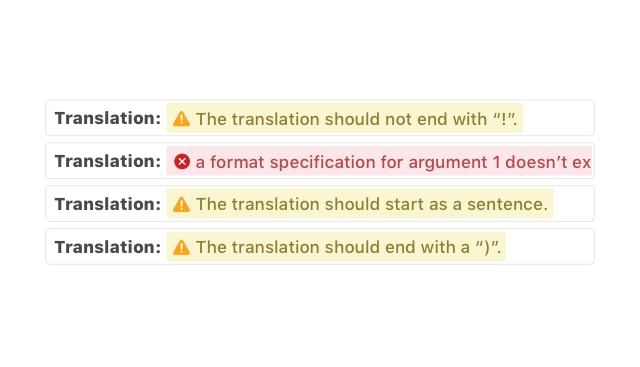
Comprehensive safety checks
- Automatic detection of potential translation issues (incorrect plural forms, missing tokens, etc)
- Automatic syntax checks (missing or mistyped variables, etc)
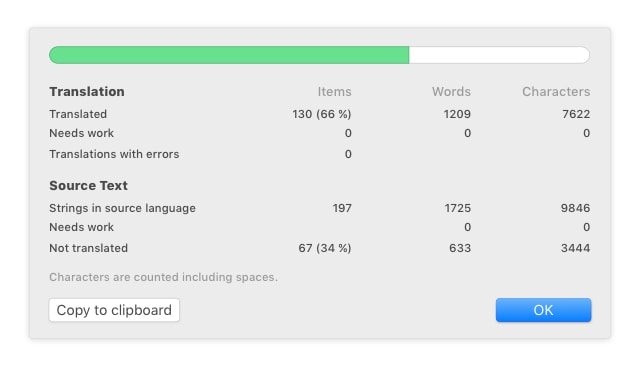
Detailed translation statistics Pro
- View detailed statistics about your translations
- Poedit’s word count is language-aware, conforms to the latest Unicode Standard and has built-in, dictionary-based support for text in languages such as Chinese, Japanese or Thai.
Development made easy
Extract strings from source code. Tweak custom keywords, settings or extractors.
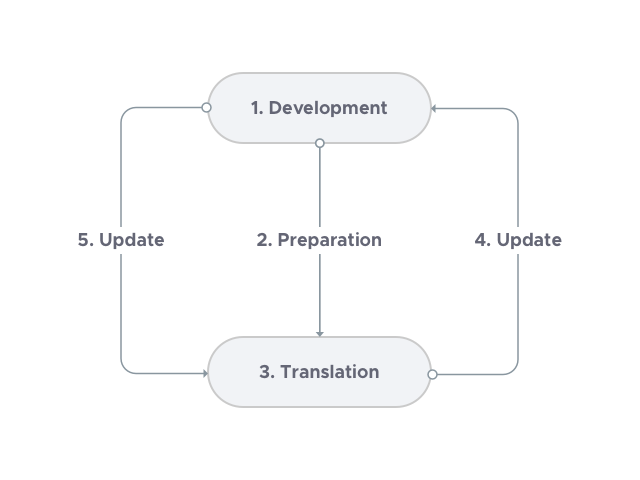
How translation of strings from code works
- The developer writes their code using
gettextAPIs. - The developer extracts all translatable texts in their code and creates a master PO file that translators can work with.
- The translator works through the PO file provided and hands back their translations, one file per language.
- Whenever the source code changes and there are translation differences the developer re-runs the extraction and updates the master PO file accordingly.
- The translator only has to update their translation file to match the master file 100%.
Poedit can help with stages 2 through 5 and save both, translators and developers, time at each stage, thanks to its focused workflow and extensive capabilities.
Supercharge your workflow
Save time with pre-translation, machine translation, and accurate suggestions.
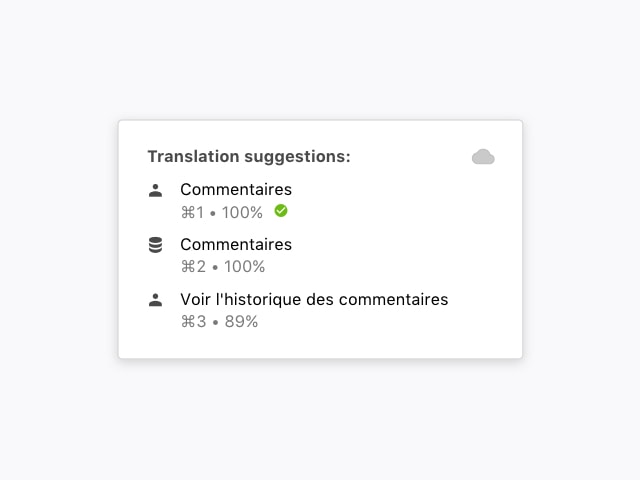
Put the Internet to work for you
Poedit saves you time by providing real-time suggestions for your translations. Suggestions are sourced from your own translation history then sorted by accuracy.
Poedit Pro adds powerful state-of-the-art machine translation and user-contributed translation databases to the mix, helping you even more. The Pro+ version integrates the very best MT engines out there: DeepL, Google Translate and even GPT.
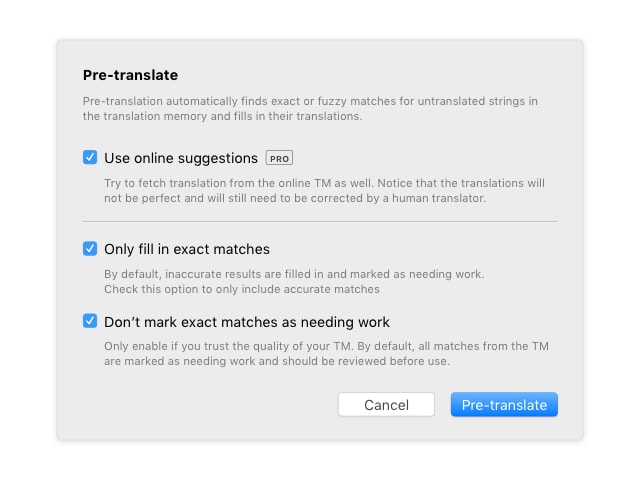
Pre-translate entire files
Translate string-by-string, or save even more time by letting Poedit pre-translate entire files at once using the same tricks used to deliver suggestions and focus on making corrections instead.
Poedit Pro can use AI and machine translation during pre-translation.
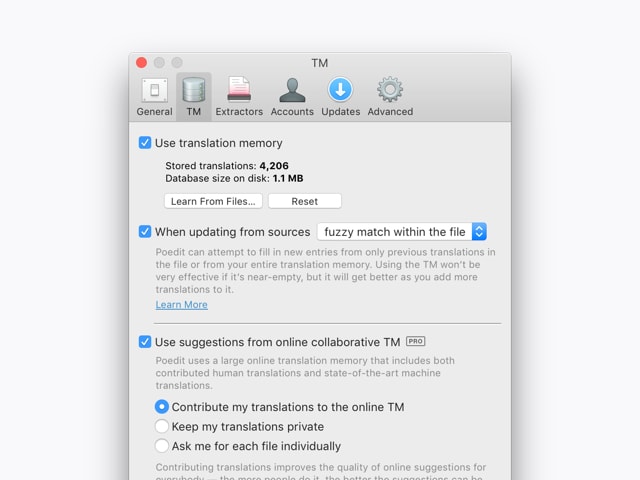
Help Poedit help you
Translation strings you finalise are stored locally and used to help you with translating similar strings in the future, by showing up as suggestions.
Poedit Pro can use community-contributed translation memory and share yours to improve future translations, so you won't ever need to do your work twice.
Collaborate with others
Poedit has a built in support for Crowdin and Localazy localization management platforms. Get access to all your projects and translate directly from the app, even offline. Learn more.
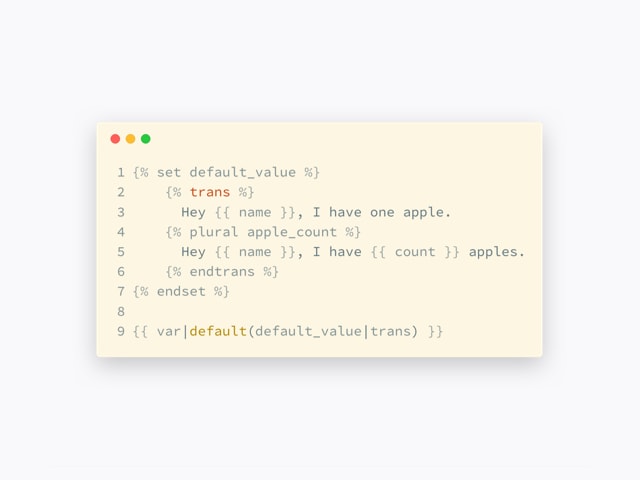
Twig, Volt and Blade templates Pro
Twig is one of the most popular templating languages for web development, used by WordPress, Craft CMS, Symfony, Drupal, or Grav; Volt is used by Phalcon and Blade by Laravel. Poedit Pro supports extraction of translation strings from templates out of the box.
First-class WordPress integration Pro
Translate WordPress themes and plugins quickly without any prior experience.
No need to know WordPress
With no prior knowledge of PO file format, WordPress core, or PHP source code you will be able to jump in and translate all required components as if you would any other project.
Translate themes and plugins
Poedit Pro carefully analyses the structure of themes and plugins, then creates a PO file in the right place and fills it with original strings, ready to be translated.
Stop doing the same work twice
There’s no need to repeat the work you’ve already done once; just drop your translation into an updated source code, click Update and continue translating new strings.
Work remotely. Or locally.
With FTP support, Poedit Pro can log in to your WordPress installation and do all the translation work remotely, so you don’t have to download or upload any files. Just press Save when you’re done.
Support you can rely on Pro
Enjoy a direct, personal and fast email support from real, 100% organic humans, who care and are happy to help you.

“It worked perfectly. Your help is what I call a superb Technical Support. That is why I do not hesitate in going Pro.”
Lionel Valentín Calderón, aquiestapuertorico.com
“Excellent program, excellent support. You can count your happy customers plus one :-)”
Stefan Fröhlich