Using Poedit with Symbolic String IDs
Some translation formats store only IDs instead of human-readable source text. While this is common in JSON-based workflows, formats like PO normally include readable source text directly in the file.
Poedit can work with these formats, but it needs access to the real source text before it can offer translation suggestions or pre-translation.
What symbolic IDs are
Section titled “What symbolic IDs are”Symbolic IDs are keys such as demo.title or demo.text that point to a piece of text stored elsewhere. They’re useful for developers because the ID stays the same even if the text changes, but they don’t provide context to translators.
When you open a file that contains only IDs, Poedit labels the source column as Source text ID and displays the IDs there exactly as they appear.
For files that use symbolic IDs, Poedit displays the ID in the editing area next to the Source text label, as a tag associated with the entry.
Why some files only contain IDs
Section titled “Why some files only contain IDs”Many web and app frameworks separate translation keys from actual text. A JSON file might contain only:
{ "demo.title": "", "demo.text": ""}while another file contains the actual strings. This keeps the code clean, but means Poedit cannot know what the text should be until you provide the real source file.
How Poedit detects symbolic ID files
Section titled “How Poedit detects symbolic ID files”If your file uses IDs instead of readable source text and you try to use translation suggestions, Poedit indicates that source text is missing:
- A green banner appears at the top of the window suggesting that you can load the English source text, if Poedit can find a matching file.
- A message on the right:
Translation suggestions require that source text is available. They don’t work if only IDs without the actual text are used.
The editor displays the IDs in the Source text ID column, and some features like pre-translation remain unavailable. This is expected: Poedit cannot guess the meaning of an ID.
Why pre-translation needs source text
Section titled “Why pre-translation needs source text”Pre-translation relies on real words and sentences. It uses machine translation, existing translations, and translation memories — all of which require text, not IDs.
If you try to pre-translate without loading the source text first, Poedit shows:
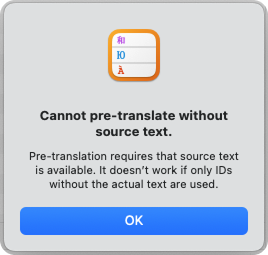
Once Poedit has the actual text, pre-translation works normally.
Loading source text from another file
Section titled “Loading source text from another file”If the file you opened contains only IDs, Poedit can use another file as the source text.
If Poedit can find a matching English source file1 with the same IDs, it suggests loading it via a banner at the top of the window. Accepting this suggestion is the simplest and recommended workflow.
If no matching file is found, you can load the source text manually:
- Open the file with IDs.
- Go to Translation → Source Text → Load from Another File…
- Choose the file that contains the real source text. The file must use the same IDs as the one you opened.
After you load the file:
- the source text column changes from IDs to readable text
- warnings disappear
- translation suggestions and pre-translation become available
Poedit keeps the ID-based file as the translation target; the loaded file is only used to supply the missing text.
Switching source languages
Section titled “Switching source languages”If your project provides source text in more than one language, you can attach a different source text file using the same mechanism. The source text column updates immediately to show the text in that new language. This can be particularly helpful for multilingual teams or when the main source language isn’t English.
Workflow
Section titled “Workflow”- Open a JSON file with IDs.
- Load the matching source text file so Poedit knows what each ID represents.
- Translate normally, using suggestions or pre-translation.
- Save or export as usual.
Troubleshooting
Section titled “Troubleshooting”You only see IDs in the source column
Poedit hasn’t loaded the real source text yet. Attach the source text file to reveal the actual sentences.
Pre-translation is unavailable
Pre-translation only works when Poedit has access to real source text. Load the source text file first.
Source text doesn’t match what you expected
Make sure the file you loaded uses the same IDs as your translation file. Mismatched IDs cannot be resolved.
Poedit doesn’t recognize the file as using symbolic IDs
In some cases, Poedit may not automatically detect that a file uses symbolic IDs. You can still proceed by manually loading the source text.
Use Translation → Source Text → Load from Another File… to manually attach the file that contains the real source text, as long as it uses the same IDs. Once loaded, translation suggestions and pre-translation work as expected.
Footnotes
Section titled “Footnotes”-
Poedit determines matching source files by identifying where the language code appears in the filename or parent folder and replacing the position with English candidates. For example:
messages.cs.json→messages.en.json,example/fr/messages.json→example/en/messages.json,example_de.arb→example_en.arb,example-pt_BR.po→example-en.po,Messages.pt-PT.resx→Messages.en.resx(orMessages.resx). In the examples,enmay also be replaced withen-US,en.default, ordefault. ↩